ඔන්න අද මම අලුත්ම පොස්ට් එකක් අරගෙන අව ෆිර්ම්වරේ ගැන දන්නා සහ නොදන්නා හැමෝටම.Computer එකක RAM, Motherboard, Processor මේ කියන හැම device එකක්ම ක්රියාත්මක වෙන්න firmware එකක් හරහා. ඒක ඒ brand එක create කරන කම්පැනි එකෙන්ම දාලා එවනවා. අපි භාවිතා කරන හැම device එකකම මේ firmware තියෙනවා.
Washing machine, Refrigerator එකේ පවා run වෙන්නෙ firmware වලින් තමයි.මේ firmware එක දාල තියෙන්නේ පොඩි chip එකක.ඒ කියන්නේ පොඩි IC එකක.

ඕනම
device එකක මුලින්ම run වෙන්නේ මේ කියන firmware එක. ඉතින් හැම device
එකකම තියෙන ඉතා කුඩා Rom chip එකක තමා මේ firmware එක දාලා තියන්නේ.ඉතින්
අපිට පුළුවන් මේ firmware අලුතෙන් දාන්නත්.හැබැයි වැරදි firmware එක
දැම්මොත් සමහර විට ඒ device එකේ ක්රියාකාරීත්වය වෙන්නත් පුළුවන්.
ඕනම
ඩිවයිස් එකක් run කරද්දි මේ firmware එක ක්රියාත්මක වෙනවා. operating
system එකක kernel run වෙලා ඊලගට කරන්නෙ මේ firmware චෙක් කරන
එකයි.උදාහරණයක් විදිහට අපි power button එක press කලාම මුලින්ම motherboard
එකේ firmware එක run වෙනවා.ඊට පස්සෙ අනිත් device වල firmware රන්
වෙනවා.ඊට පස්සෙ hard disk එකේ තියෙන kernel එක run වෙනවා.ඊට පස්සෙ run
වෙලා, තියෙන firmware විස්තරයක් අරගෙන ඒකට අදාල computer එකේ තියෙන
software run කරලා තමයි computer එක වෙන්නේ.


1967
සිට firmware භාවිතා වුණා.ඔයාලා කවුරුත් firmware අප්ඩේට් කරන්නේ නෑ
නේද? අපිට පුළුවන් ඕනම device එකක firmware update කරගන්න.device එක හරියට
දැනගෙන Google එකේ search කලා නම් හොයාගන්න පුළුවන්.VGA එහෙම
firmware updateකලහම speed වැඩි.හැබැයි බොහොම පරිස්සම් වෙන්න ඕනේ firmware
update කරද්දී.පොඩ්ඩ එහා මෙහා උනොත් sorry තමයි.හොදම firmware use කරන්නේ
Apple සමාගම.
Firmware is the program or set of instructions that make your network media player work. You can think of it as the baseline software that tells your player how to communicate with other devices, what file formats it can play, what the menu and user interface look like, and to what online services it can connect. Without firmware, a network media player would be completely non-functional.

There are two types of firmware. Low-level firmware tells the hardware how to work and is typically embedded in the computer chips that run the device. For those who understand computers, you can think of low-level firmware as being like the BIOS that runs a computer. Other home theater components -- TVs, Blu-ray players, AV receivers -- have low-level firmware that run audio and video processors and tell the device's inputs how to communicate with connected components.

High-level firmware is typically the firmware that we hear about, which can be altered and updated. This is also the type of firmware that creates the menus and makes home theater components and TVs networkable.
Give me your valuable feedback..........
Firmware is the program or set of instructions that make your network media player work. You can think of it as the baseline software that tells your player how to communicate with other devices, what file formats it can play, what the menu and user interface look like, and to what online services it can connect. Without firmware, a network media player would be completely non-functional.
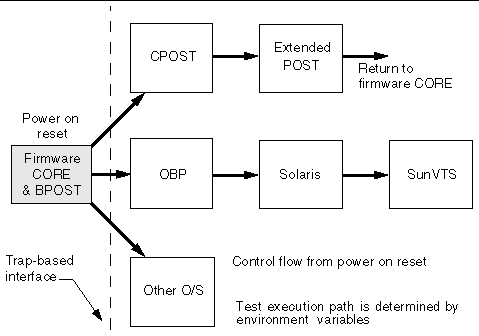
There are two types of firmware. Low-level firmware tells the hardware how to work and is typically embedded in the computer chips that run the device. For those who understand computers, you can think of low-level firmware as being like the BIOS that runs a computer. Other home theater components -- TVs, Blu-ray players, AV receivers -- have low-level firmware that run audio and video processors and tell the device's inputs how to communicate with connected components.

High-level firmware is typically the firmware that we hear about, which can be altered and updated. This is also the type of firmware that creates the menus and makes home theater components and TVs networkable.
Give me your valuable feedback..........
